Project Two: Bootstrap
Here are my panels for our Bootstrap: Project Two!
Reflections & Screenshots
Panels
Project Two, Panel One
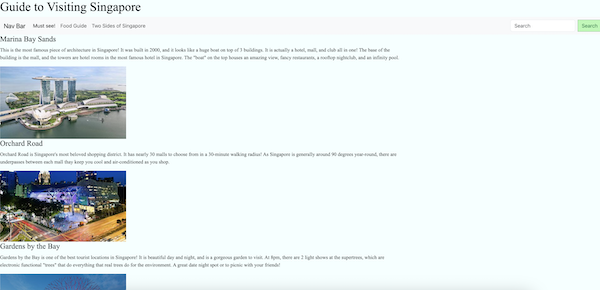 For panel one, I played with bootstrap elements, adding a NavBar to the top of my page to create 3 different elements within my website. I also added columns to separate my work, along with buttons, search bars, and images. Using what I know from previous lessons, I was able to use a custom css to edit the colors of the search bar, making it a darker green once your cursor is hovering over it. I did not want my entire website to be all the same, so I formatted my "Food Guide" differently to give my website some dimension. As this website was pretty basic, I felt that I needed to give it a slight background color, though it was hard picking a color that would not make my website look "cheap", so I made it a very light blue. This was a very basic format for my website made of bootstrap components like accordions, buttons, etc, and I was very excited to elevate this.
Project Two, Panel Two
For panel one, I played with bootstrap elements, adding a NavBar to the top of my page to create 3 different elements within my website. I also added columns to separate my work, along with buttons, search bars, and images. Using what I know from previous lessons, I was able to use a custom css to edit the colors of the search bar, making it a darker green once your cursor is hovering over it. I did not want my entire website to be all the same, so I formatted my "Food Guide" differently to give my website some dimension. As this website was pretty basic, I felt that I needed to give it a slight background color, though it was hard picking a color that would not make my website look "cheap", so I made it a very light blue. This was a very basic format for my website made of bootstrap components like accordions, buttons, etc, and I was very excited to elevate this.
Project Two, Panel Two
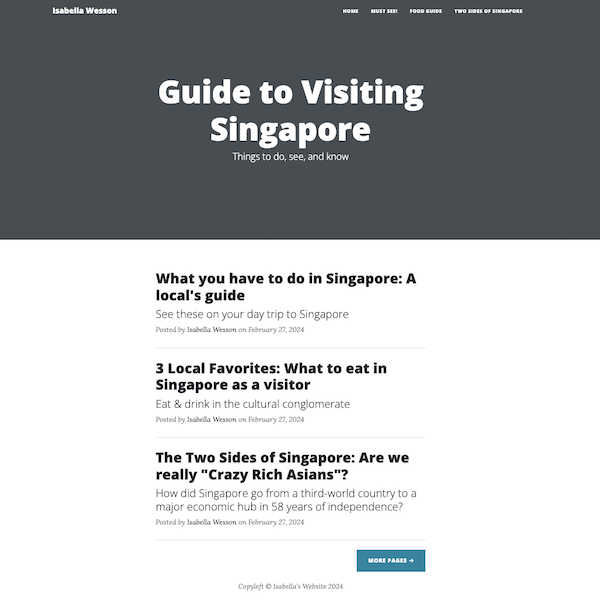 This panel was the easiest as I copied the content I had in my first panel and transferred it over to a bootstrap website template. I was able to play with different elements of the pre-existing template I chose, which was in a blog format. I felt this was best as it allowed me to showcase large pictures to add dimesion to my website, and also fit the content. My website is a guide to visiting Singapore, so I felt it best to make it into a blog. It allowed me to link my other pages into the template in multiple different areas and display my paragraphs of content effectively. I added a NavBar as well as column formatting to make the columns make more sense.
Project Two, Panel Three
This panel was the easiest as I copied the content I had in my first panel and transferred it over to a bootstrap website template. I was able to play with different elements of the pre-existing template I chose, which was in a blog format. I felt this was best as it allowed me to showcase large pictures to add dimesion to my website, and also fit the content. My website is a guide to visiting Singapore, so I felt it best to make it into a blog. It allowed me to link my other pages into the template in multiple different areas and display my paragraphs of content effectively. I added a NavBar as well as column formatting to make the columns make more sense.
Project Two, Panel Three
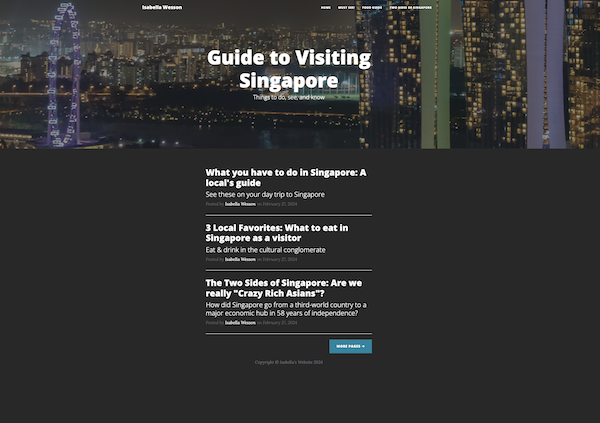 For my third and final panel, I used a custom css to edit the previous copy of my website. I changed the header pictures into ones I felt fit my content and that were high-resolution, changed the font into a Google font, changed the background colors in two different custom css, customized the buttons and NavBar into colors of my choosing, centered my pictures, etc. I really had fun with this one and making the template my own! I felt that it looked a lot better once I made it the way I wanted.